
A server freezes in the middle of the night, a hosting provider performs unscheduled maintenance, or an entire data centre loses connectivity: for a business, this is never just "the website is not opening". While the site is down, paid search campaigns in Google Ads and Yandex Direct continue burning advertising budgets into dead links, prospective buyers bounce to direct competitors, and search engine crawlers record server errors that can drop hard-earned organic rankings.
In this guide, we break down step by step how to build a resilient business architecture: configure proper 503 HTTP status codes, automatically pause paid traffic when forms fail, and reroute customer order intake to independent, standalone bots in Telegram and MAX.

Emergency triage: 4 steps to take in the first 15 minutes if your site is down right now
If your site crashed five minutes ago and you need immediate damage control, follow this sequence:
- Pause active paid advertising immediately. Log into Yandex Direct or Google Ads and pause active campaigns manually. Built-in ad monitoring tools often take 30–90 minutes to detect a crash, spending your daily budget on error pages.
- Verify true downtime. Test your domain through external multi-location check services (such as Host-Tracker or Check-Host). If the site fails across all locations, the issue is at the server or DNS level; if it fails only on your home provider, the server may still be accessible to customers.
- Contact hosting support and open a formal ticket. Request specific status: hardware crash, network DDoS attack, or maintenance window, alongside an estimated recovery time (ETA).
- Deploy an emergency maintenance landing page. If you manage external DNS (via Cloudflare or independent NS servers), switch the A-record to a backup server returning an HTTP 503 status code with links to your Telegram bot or phone numbers.
Short answer for the future: what level of resilience does your business need?
- Service businesses with low daily traffic (1–5 orders a day, renovation, consulting). Cold backup setup: daily automated database and file backups saved to an external S3 cloud (Restic + S3), independent domain registration, and an uptime monitor pinging the site once a minute. Recovery time: 2–6 hours.
- Active retail and regional online stores (20–100 orders a day, active ad spend). Warm standby: external DNS with fast TTL (60 seconds), a pre-configured maintenance landing page returning HTTP 503 that reroutes buyers to a Telegram/MAX bot, and an automated script that pauses paid ads if forms fail. Recovery time: 15–30 minutes.
- High-traffic platforms and high-stakes B2B (100+ orders a day, continuous ad budgets). Hot redundancy: geographically separated server clusters, automated database replication, and instant failover balancing. Recovery time: under 60 seconds.
Why even major hosting providers crash: 3 real-world lessons for business owners
Many business owners believe: "We pay RUB 3,000 a month to a reputable hosting provider, so downtime is their problem." In reality, no hosting provider can guarantee 100% uptime, and three famous incidents illustrate why.
1. Attacks on provider management panels: the Beget incident
In March 2022 and subsequent DDoS waves across Russian infrastructure, major providers like Beget experienced massive targeted volumetric attacks on their primary DNS nameservers and account control panels. While underlying customer physical hard drives were intact, websites became unreachable globally for hours because DNS resolution was crippled. Companies whose domains relied exclusively on provider-hosted default DNS servers went completely dark.
2. When backups burn down in the same building: the OVHcloud fire
In March 2021, a massive fire destroyed the SBG2 data centre of European cloud giant OVHcloud in Strasbourg. Over 3.6 million websites went offline instantly. The critical tragedy: thousands of businesses had purchased paid daily backups from the same provider, but OVH stored those backup drives in the very same physical building. When the facility burned, both live databases and all historical backups were vaporised simultaneously. Businesses without off-site copies lost years of records permanently.
3. Ownership conflicts and faulty software updates: Masterhost and CrowdStrike
- Masterhost (2020): A corporate conflict between co-owners led to physical security cutting power cables and blocking engineers from the data centre, paralyzing tens of thousands of Russian websites for days.
- CrowdStrike (July 2024): A single flawed sensor configuration update crashed 8.5 million Windows servers worldwide, grounding flights, halting banks, and taking down websites across every major continent.


Daily micro-crashes that hosting providers are not responsible for: 5 common internal causes
Over 80% of website downtime is caused not by data centre catastrophes, but by internal software issues:
- Unpaid domain or hosting renewals. An accounting oversight or expired bank card suspends nameservers overnight.
- Expired SSL security certificates. Browsers display full-screen red warning blocks ("Your connection is not private"), driving 95% of visitors away.
- Full disk space caused by overgrown log files. The database engine crashes because it cannot append transaction logs.
- PHP/Node.js memory leaks. Memory exhaustion under sudden traffic spikes causes the web server to return 502 Bad Gateway.
- CMS plugin auto-update conflicts. An automatic WordPress update breaks database queries while the owner is asleep.
The true cost of website downtime: direct and hidden losses
The 4 primary expense categories of an outage
- Wasted advertising budget. If you spend RUB 300,000 monthly on Yandex Direct and Google Ads (approx. RUB 10,000 daily), a 6-hour midday crash incinerates RUB 3,500–5,000 on clicks that hit dead pages.
- Direct lost revenue. Customers needing emergency services or high-intent products call the next search listing within 15 seconds.
- Customer lifetime value erosion. A client who has a bad first impression rarely returns.
- Technical recovery costs. Emergency overtime payments to developers and system administrators to restore corrupted databases.
Why hosting SLA guarantees never compensate lost revenue
Hosting contracts feature a Service Level Agreement (SLA), often promising "99.9% uptime". But read the small print: the provider's maximum liability is strictly limited to refunding the hosting subscription cost for the downtime period.
If your server stays down for an entire business day, the host might refund you RUB 30–50 of your monthly fee. They will never reimburse RUB 150,000 in lost orders or wasted advertising budgets.
What happens to Google and Yandex search rankings during downtime

Search engine crawlers constantly re-index websites. How they react depends entirely on downtime duration and server response codes:
- 1–3 hours: Negligible impact. Crawlers encounter an error and schedule a re-crawl.
- 6–12 hours: Minor warnings. If the server returns a proper HTTP 503 (Service Unavailable) status code with a
Retry-Afterheader, crawlers understand temporary maintenance and preserve index positions. - 24–48 hours: Critical threshold. If the server returns HTTP 500, 502, or connection timeouts, crawlers mark pages as broken and begin demoting positions in competitive search results.
- 3–7 days: Disastrous de-indexing. Search engines strip unreachable pages from the main search index. Recovering previous positions after restoration often requires weeks of manual re-indexing requests.
5 dangerous mistakes that multiply losses during an outage
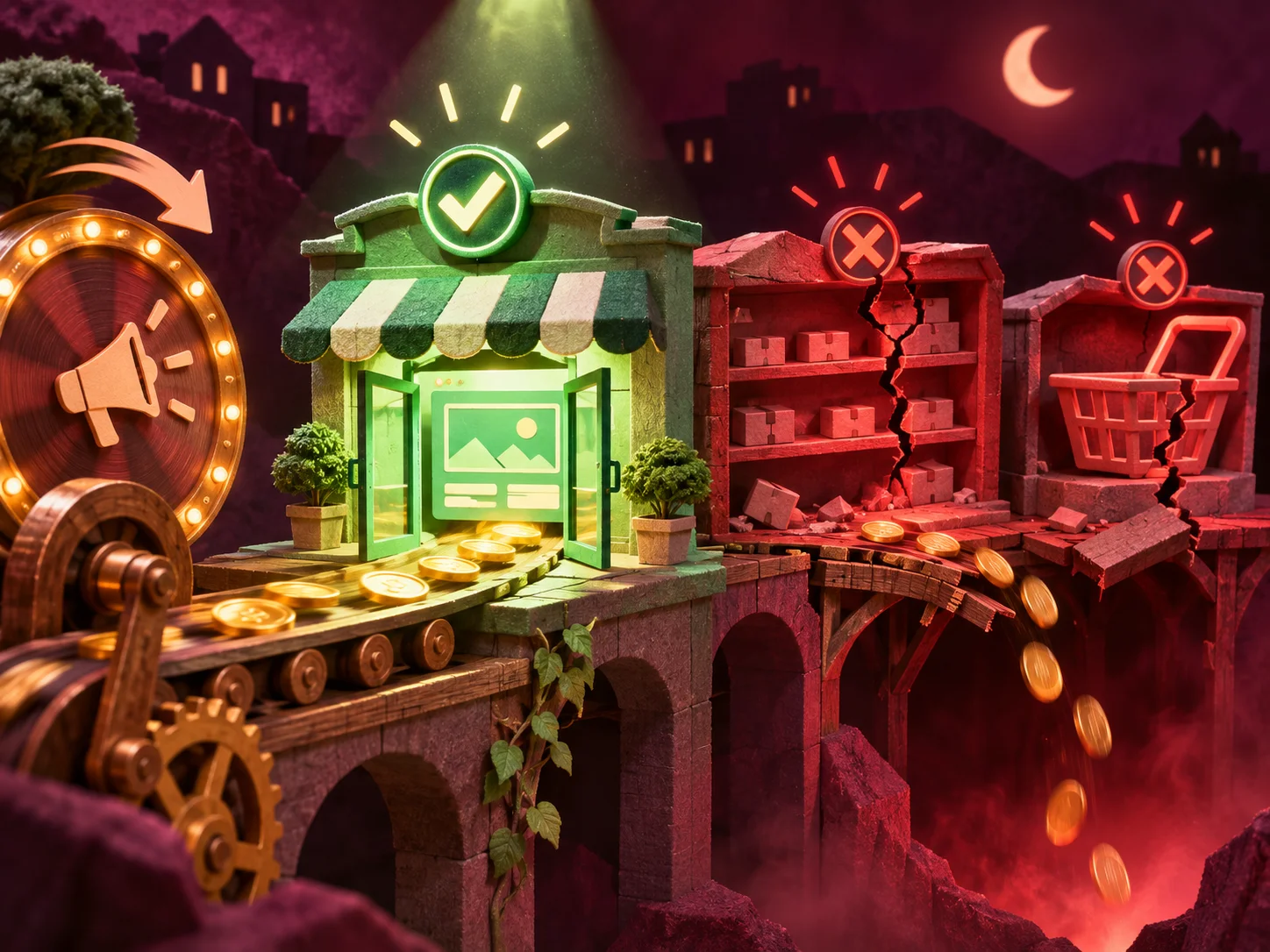

Mistake 1. Relying solely on default "Pause ads when site is down" settings
Built-in ad platform monitors check only the root HTTP response of the homepage (e.g., /). If your homepage loads static HTML while the MySQL database freezes, the homepage returns 200 OK while all product pages, catalogs, and checkout forms fail completely. Advertising continues spending budget at full speed.
Mistake 2. Uploading a generic "Under Construction" page or blocking robots.txt
Uploading an ordinary HTML page without headers returns an HTTP 200 OK status. Search crawlers index your maintenance text ("We are updating our catalog"), overwriting your carefully optimized title and description tags in search snippets. Never edit robots.txt to disallow indexing during an outage.
Mistake 3. Assuming Cloudflare's free "Always Online" saves sales
Cloudflare's Always Online displays cached static snapshots from the Internet Archive. Visitors see text and photos, but all interactive buttons, dynamic carts, contact forms, and payment gateways remain completely dead.
Mistake 4. Hosting your Telegram bot on the exact same server as your website
If your customer support bot runs inside a Docker container on the same VPS as your website, a hosting crash destroys both communication channels simultaneously. Customers have no way to reach you.
Mistake 5. Keeping domain registration with your host and saving backup passwords on the server
If your hosting account is suspended or blocked due to payment verification disputes, and your domain was purchased inside that same hosting control panel, you cannot even point your DNS elsewhere. Always register domains through dedicated independent accredited registrars.
How to protect your business in practice: 4 principles of independence
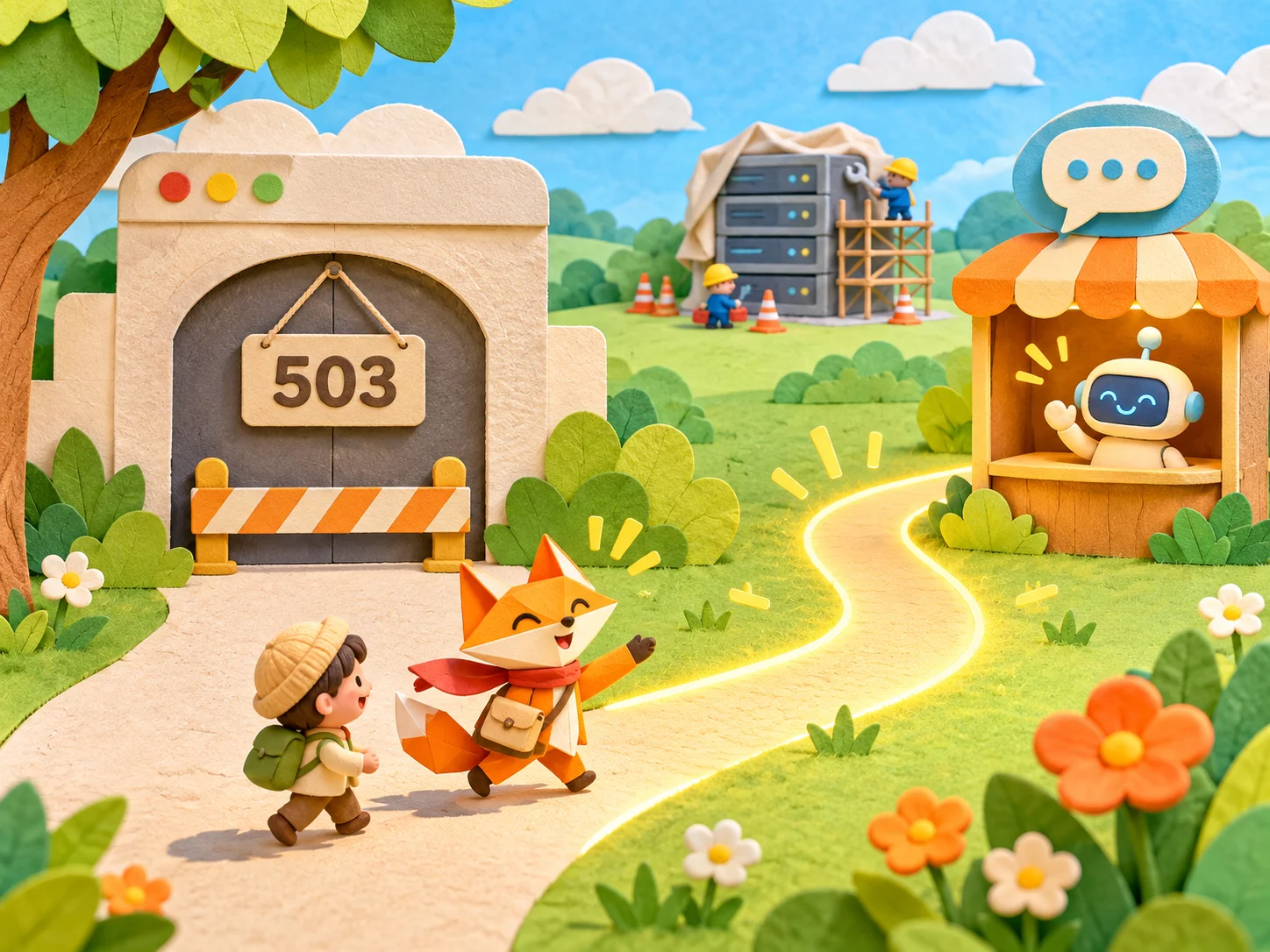


1. Isolated off-site backups (3-2-1 rule and Restic + S3)
Follow the universal 3-2-1 backup standard:
- 3 total copies of your business data.
- 2 different storage media formats.
- 1 off-site copy located in a completely independent cloud data centre.
Using tools like Restic or BorgBackup, encrypted snapshots are automatically synchronized daily to an independent S3-compatible cloud (such as Yandex Object Storage or VK Cloud). Even if your physical server melts down, data is restored in minutes.
2. Independent domain, external DNS, and proper 503 maintenance page
- Register your domain with an independent registrar (e.g., Reg.ru, Ru-Center, or Cloudflare Registrar).
- Manage nameservers through external DNS providers with short TTL values (60 seconds).
- In the event of downtime, point DNS to an emergency static landing page that returns an HTTP 503 Service Unavailable header with
Retry-After: 3600and prominent buttons to message your team in Telegram and MAX.
3. External healthcheck monitoring every 60 seconds with automated ad pause
Deploy an external monitoring agent (such as UptimeRobot, Better Stack, or custom curl webhooks) that tests not just the homepage, but database connectivity and form endpoints every 60 seconds. If an outage occurs, an automated API call pauses active ad campaigns in under 120 seconds.
4. Standalone customer bot in Telegram and MAX with sheet/CRM fallback
Host your Telegram and MAX bots on separate micro-cloud infrastructure (costing just RUB 300–500 monthly) completely isolated from your website. When a customer taps your bot link from the 503 maintenance page, the bot accepts order specifications, logs the lead into Google Sheets or Telegram staff channels, and notifies managers instantly.
The cost of reliability: cold, warm, and hot standby options
| Redundancy tier | Implementation setup | Recovery time (RTO) | Monthly cost | Best suited for |
|---|---|---|---|---|
| Cold standby | Daily S3 backups + manual deployment scripts | 2–6 hours | RUB 200–500 | Service sites, blogs, small corporate sites |
| Warm standby | External DNS + 503 failover + standalone bot + auto ad pause | 5–15 minutes | RUB 1,000–3,000 | Online stores, regional businesses, active ad campaigns |
| Hot standby | Clustered dual-active VPS + real-time DB replication | Under 60 seconds | RUB 10,000–30,000+ | Large marketplaces, FinTech, high-volume B2B |
Action plan for business owners and developers: 1 day, 1 week, 1 month
Stage 1. Within 24 hours: access governance and early alerts
- Verify that domain registration and primary hosting accounts are registered under the business owner's personal passport/company legal entity, not a freelance developer's personal email.
- Configure free external uptime monitoring via Telegram notifications (e.g., UptimeRobot pinging your URL every 60 seconds).
Stage 2. Within 7 days: safeguarding databases, ads, and lead capture
- Configure automated encrypted off-site backups to an independent S3 bucket.
- Set up an automated script or webhook to pause paid advertising if your enquiry API returns non-200 responses.
- Deploy an autonomous bot in Telegram and MAX capable of capturing client leads independently.
Stage 3. Within 30 days: SEO resilience and simulated recovery drill
- Build and test an emergency 503 maintenance page with valid search engine retry headers.
- Conduct a simulated disaster recovery drill: shut down the primary server and measure how quickly your team restores operations from backup.
Frequently asked questions
If my hosting already includes daily backups, why do I need an external S3 cloud?
Because hosting-provided backups are stored within the provider's own infrastructure. If the provider experiences a physical fire (like OVHcloud), a catastrophic file system failure, a billing dispute, or an account takeover, you lose access to live servers and backups simultaneously. An independent S3 bucket in a separate cloud guarantees data safety.
Does website downtime of 2–3 hours during the day harm SEO rankings?
No, provided your server returns an HTTP 503 status code or recovers quickly. Search engine crawlers interpret short outages as standard maintenance and re-crawl later without penalty. Long multi-day outages returning 500 or connection timeouts, however, will result in de-indexing.
Is it true that websites built on lightweight architectures (like Astro) crash far less than CMS-based sites?
Yes, significantly less. In traditional CMS platforms (like WordPress or Bitrix), every visitor request triggers PHP interpreter execution and dozens of MySQL database queries. Under heavy traffic or DDoS spikes, the database locks up and the site crashes. In Astro, content is pre-rendered into high-speed static files: the server simply serves lightweight files, handling 50x higher traffic loads on minimal server resources without database failure risks.
Who in the company should control domain credentials and backup access?
The business owner or executive director must hold primary master credentials (two-factor authentication linked to the founder's phone and corporate registry). Developers and contractors should be granted dedicated delegate access with restricted privileges.
Key takeaways
A website outage does not have to be an existential catastrophe for your business. The difference between losing hundreds of thousands of rubles and sailing through an incident smoothly comes down to architecture:
separate domain registrar and external DNS + daily encrypted backups to an independent S3 cloud + smart healthcheck scripts pausing paid ads within 2 minutes → proper HTTP 503 maintenance page redirecting traffic to an autonomous Telegram & MAX bot.
With this architecture, even if a hosting provider suffers a major blackout, your advertising budget remains protected, search rankings are preserved, and customer orders continue flowing seamlessly through messenger channels.
Resilient web development and autonomous business bots: high-performance websites built on modern Astro architecture that resist traffic spikes, alongside standalone automated bots in Telegram and MAX with failover lead capture and CRM synchronization. Explore our turnkey landing pages, multi-page websites, and business bots & Mini Apps sections, or contact Roman Mikhaylov, developer.